
Aviation crew network Every connection starts with trust.
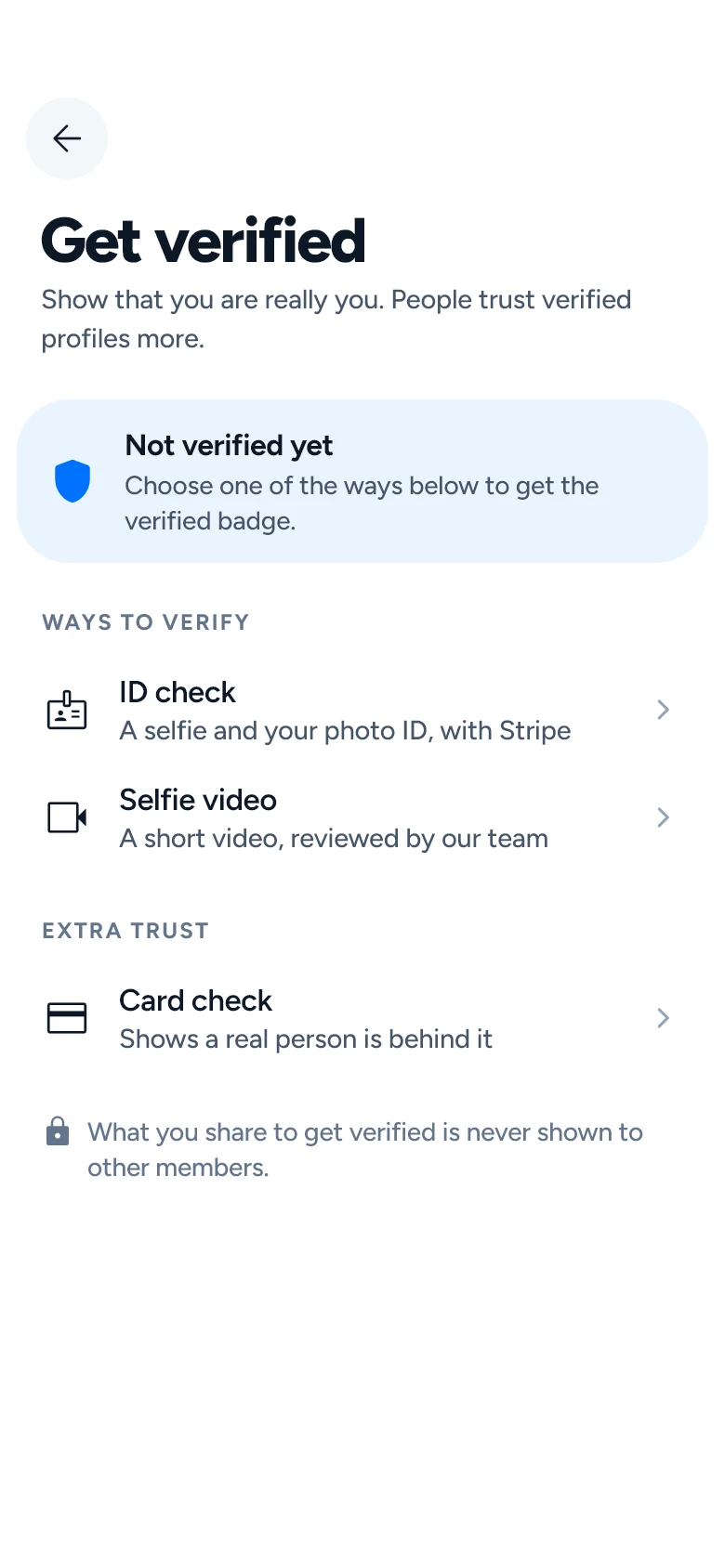
Sky Meetup is built around verification. An ID check, or a short video that our team reviews, puts a verified badge on a profile — so you know which aviation colleague you are talking to.
- Connect
- Chat
- Meet
- Network
- Pilots & Flight Deck
- Cabin Crew
- ATC & Flight Dispatch
- Aircraft Maintenance (MRO)
- Ground Ops & Handling
- 26languages
- 10connections a day on the free plan
- 0profiles made up by us that members see
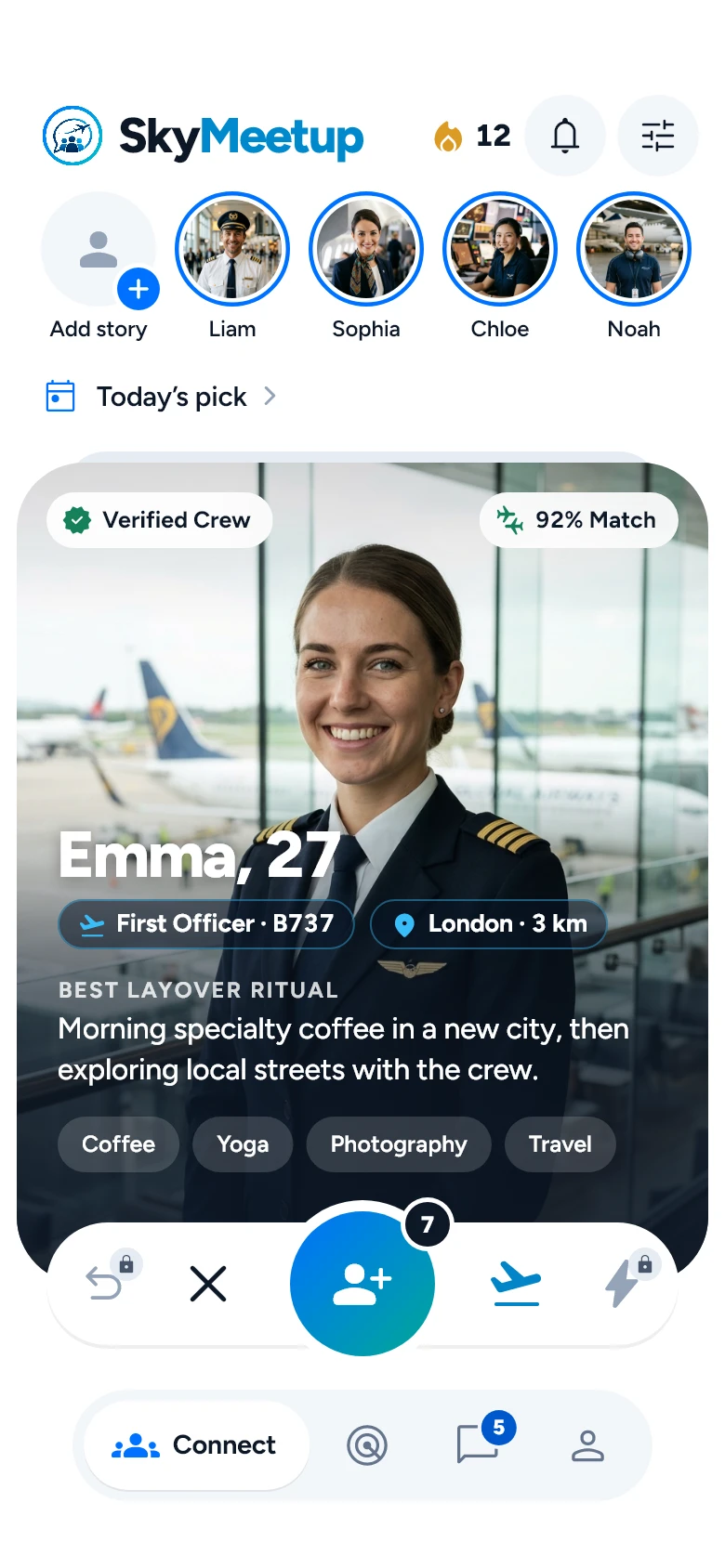
The screens are from the app and show sample content, not real members.

THE AVIATION COMMUNITY APP
The Social Network & Crew Community for Aviation Professionals
Connect with pilots, cabin crew, ATC, aircraft maintenance engineers and ground operations teams at your home base or on layover — build real aviation friendships and expand your crew network.
Connect
Connect with verified aviation professionals based at your airport or flying the same routes.
Chat
Chat with fellow crew members, share layover tips, and coordinate off-duty plans.
Meet & Radar
Spot nearby crew on Radar and join layover coffee meetups and crew events in every destination.
Network
Grow your trusted global aviation circle across flight deck, cabin, ATC, MRO, and ground ops.
 Terminal & Crew Radar
Real-Time Crew Radar at Every Airport
Spot verified fellow crew at the same airport terminal before departure, between flights, or right after duty.
 City Layover Meetups
Destination Layover Coffee & City Meetups
Never spend a layover alone in a hotel room — grab coffee, dine out, and explore destination cities with visiting or local crew.
 Global Crew Network
Flight Deck, Cabin, ATC & MRO Circle
Build lasting friendships and professional connections across pilots, cabin crew, ATC, flight dispatch, and maintenance teams.
How trust is built
Know which aviation colleague you are talking to.
The verified badge is earned, not bought. When a member puts a new main photo in front, the badge is paused until they verify again.
ID check
An ID document and a selfie, checked on Stripe’s secure page; our team compares the selfie with the profile photos
Video verification
A short video that our team reviews
Confirmed sign-up
Every new account confirms two codes: one sent by e-mail and one by SMS.
Photos are checked
Every profile photo goes through an automatic check. Nudity, violence and hate symbols are refused, and signs of a fake are passed to our moderators.
Reports and moderation
Every report reaches our safety team
Connect
Find your crew and expand your aviation circle.
A profile on Sky Meetup highlights your aviation role, home base, up to nine photos, prompts answered in your own words — and a crew fit percentage showing what you share.
Crew fit you can read
The crew fit percentage comes from what you really have in common — aviation interests, lifestyle and values — and the profile shows how it adds up.
Filters that stay yours
Filter by airport/city, distance, interests, lifestyle and more. Your filters are saved, and they never change what your own profile says.
Weekly crew picks
Every Monday: the five aviation professionals you have most in common with.
Radar
If you allow location, Radar shows the crew members you crossed paths with at airports or layover cities during the last seven days.
Meet & Network
Meet fellow crew on layover or at your home base.
Some crew members start with a connection on Connect. Others prefer joining a layover event, teaming up with a colleague, or exploring crew spots in the city.
Events
Crew meetups, layover coffees and networking events announced by the Sky Meetup team. Reserve your spot in the app.
Layover spots
Crew-friendly spots for layover meetups, listed by city and chosen by Sky Meetup — some with an exclusive crew discount.
Crew meetup
Invite one of your crew connections to team up, and meet another pair of aviation colleagues.
Friend’s take
Share a link, and crew friends write a few words or leave a voice note about you. It shows on your profile once our team has reviewed it.
Icebreakers
Three conversation starters, written from the other crew member’s profile.
Compatibility quiz
Fifteen questions. Your answers count towards your crew fit percentage.
Chat
Crew conversations that lead to real meetups.
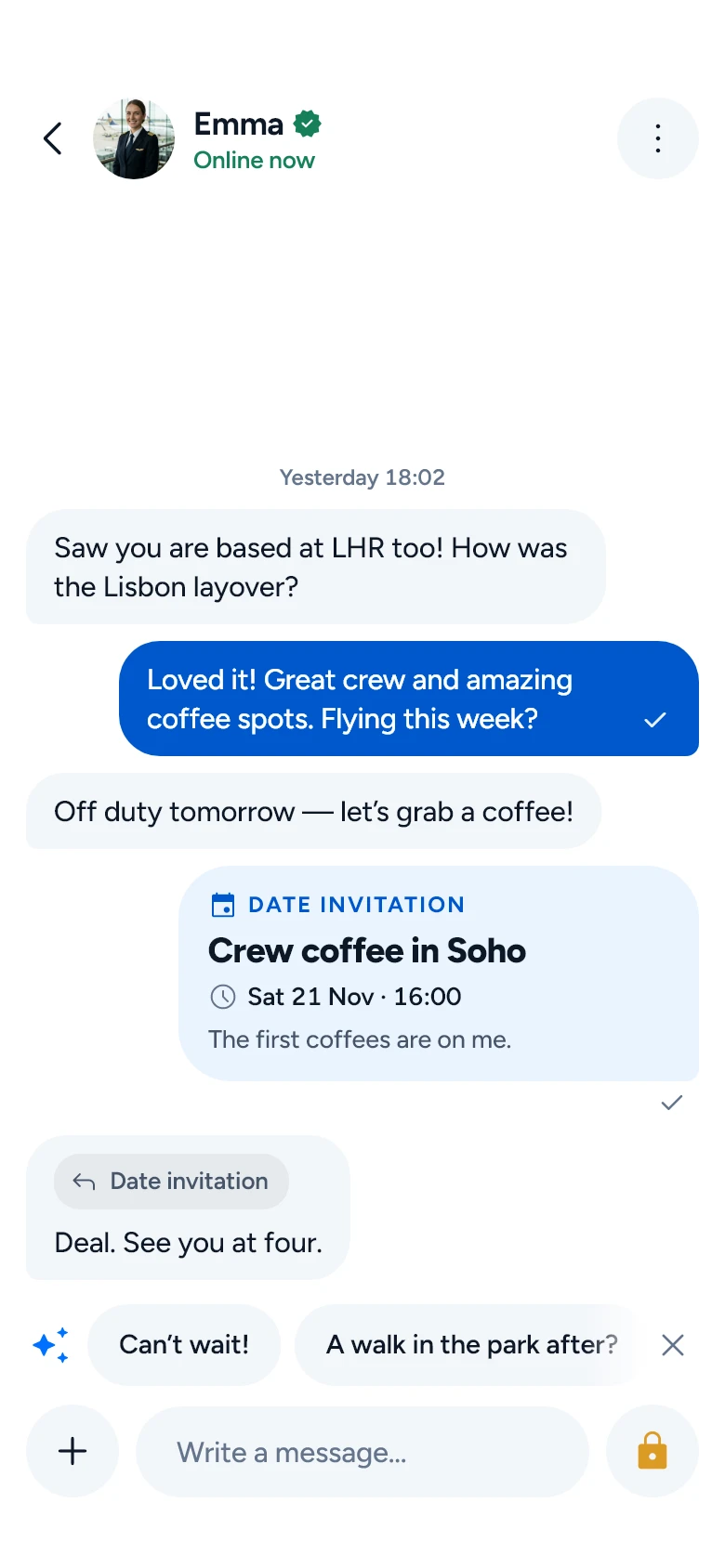
Text messages with your connections are free and unlimited on every plan. Everything else helps turn a chat into a layover meetup.
A coach when you are stuck
The AI coach gives private advice inside a conversation — what to write next, how to suggest meeting. Only you see it.
Translation in the chat
A message can be translated into the language you use the app in.
From a chat to a date
Send a date invitation with a place, a time and a note, right in the conversation.
Photos and voice
Photos — also ones that can be opened only once — on every plan, and voice messages with a paid plan.
A second thought
Before a message that looks insulting, or like a request for money, is sent, Sky asks the sender once whether to send it.
Voice and video calls are not available yet.
Safety
Safe when you meet.
Meeting someone new should feel good. These tools are free for every member.
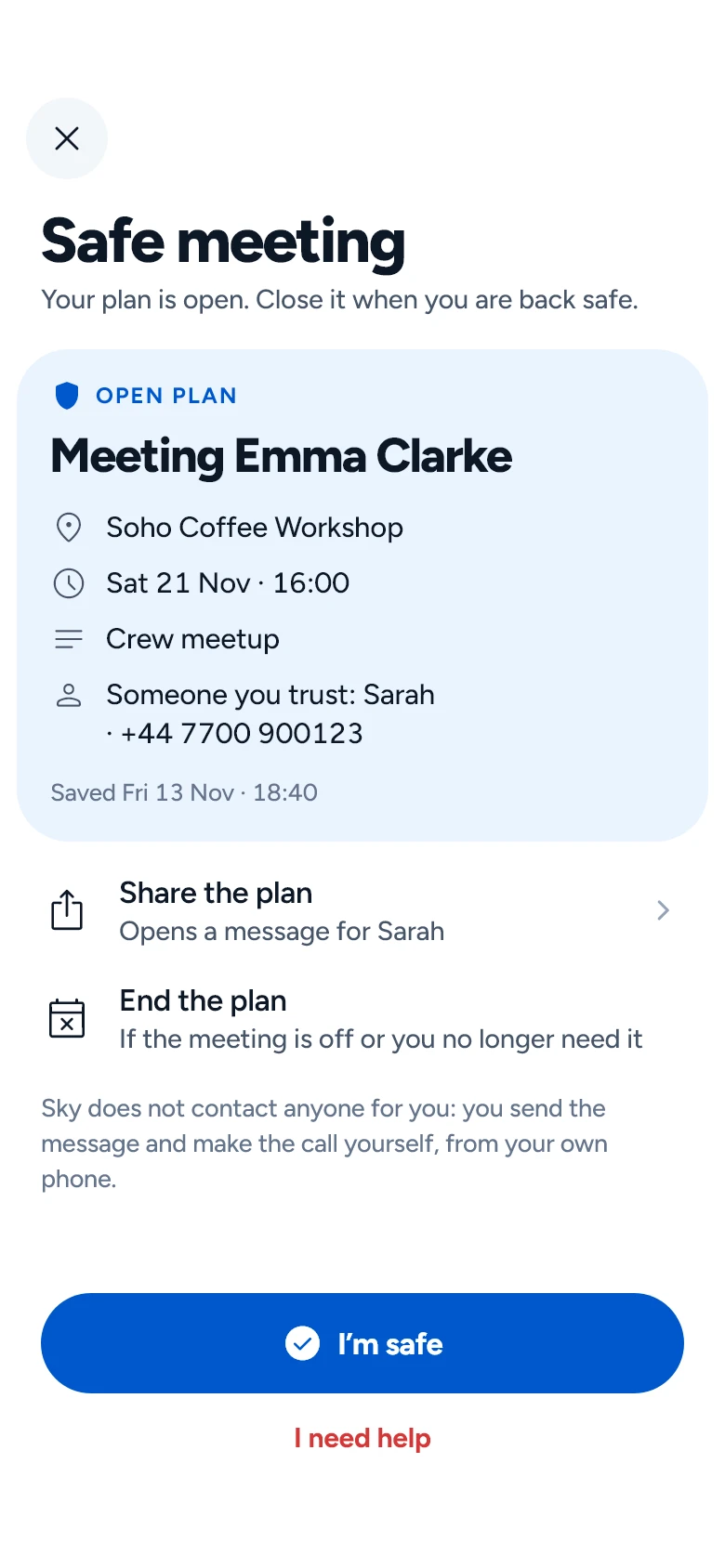
Tell someone your plan
Write down who you are meeting, where and when, and share it with someone you trust. You send it yourself, from your own phone: Sky does not contact anyone for you.
If you need help
“I need help” opens your phone with a call or a ready message to the person you trust. Sky cannot call for help: in an emergency, call your local emergency number.
Report and block
A report goes to our safety team and blocks the person for you. They are not told who reported them.
Plans
Free to start. More when you want it.
Liking, matching and messaging are free. Sky Gold, Plus and Platinum add more — bought in the app, through Google Play or the App Store.
- 10 likes a day
- 1 Super Like a day
- Unlimited messages with your matches
- Radar: the people you crossed paths with
- See how many people liked you
Questions people ask.
How do I verify my profile?
In the app: Settings › Verification. Record a selfie video of up to 15 seconds; our team compares it with your profile photos, and when it is approved you get the verified badge. An ID check gives the badge too: a secure Stripe page opens in your browser, where you take a photo of your ID and a selfie. Our team then compares that selfie with your profile photos, and you get the badge once they match; Sky never stores the selfie. A card check on Stripe’s secure form raises your trust score. Nothing is charged, and it does not give the verified badge.
How do matches work?
When two people like each other it is a match and a chat opens. Your matches and conversations are on the Matches tab.
What is a Super Like?
A Super Like tells someone you are especially interested: they are notified and see that it came from you. You can send 1 a day for free, 5 with Sky Gold, and as many as you like with Sky Plus and Platinum.
What do the plans include?
Sky Gold: unlimited likes, who liked and viewed you, taking back a swipe, voice messages and sharing stories. Sky Plus adds unlimited Super Likes, worldwide search and incognito. Sky Platinum adds private photos and the most Boosts and roses.
How do I report or block someone?
Open their profile or your chat, tap the menu, and choose Report or Block. A report also blocks them, and they are not told who reported them.
How do I get a copy of my data?
Settings › Download my data opens your browser and downloads a file with what you shared on Sky.
Start with trust.
Sky is free to start: ten likes a day, and messages with your matches cost nothing.